
Feature tour
Follow one order from the vendor to the sale: eight steps, each with a screen of the app and a link to the chapter of the user manual that explains it.
The screens show made-up sample data. Select a screen to see it full size.
-
Order from your vendor
A purchase order holds one or more products, each with its quantity and line cost. Shipping, tax, import duty, customs and other fees can be added for the whole order or for one line, and credits or discounts lower the cost.
Before you save, the cost summary shows each line's estimated landed cost per unit.
In the manual: creating a purchase order, costs, fees and credits.
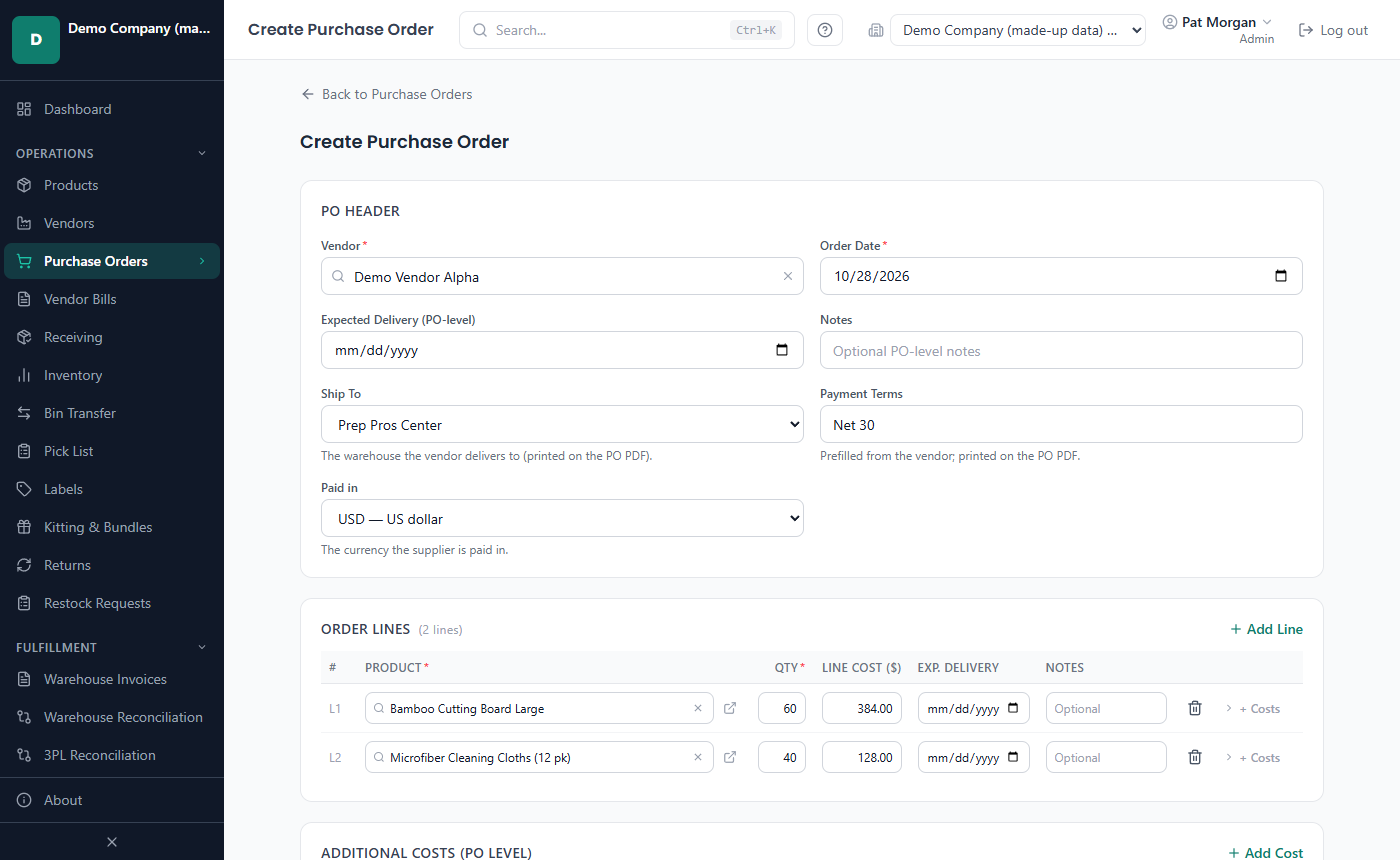
Creating a purchase order -
Add the costs that come later
A freight bill, an import duty or a vendor credit often arrives after the order. Add it to the purchase order's cost breakdown when it comes: the landed cost is worked out again at once, also for units already received.
The order goes to the vendor as a PDF, printed or e-mailed from the app; the vendor's copy leaves out your own costs such as prep fees.
In the manual: adding a cost later, printing and e-mailing a purchase order.
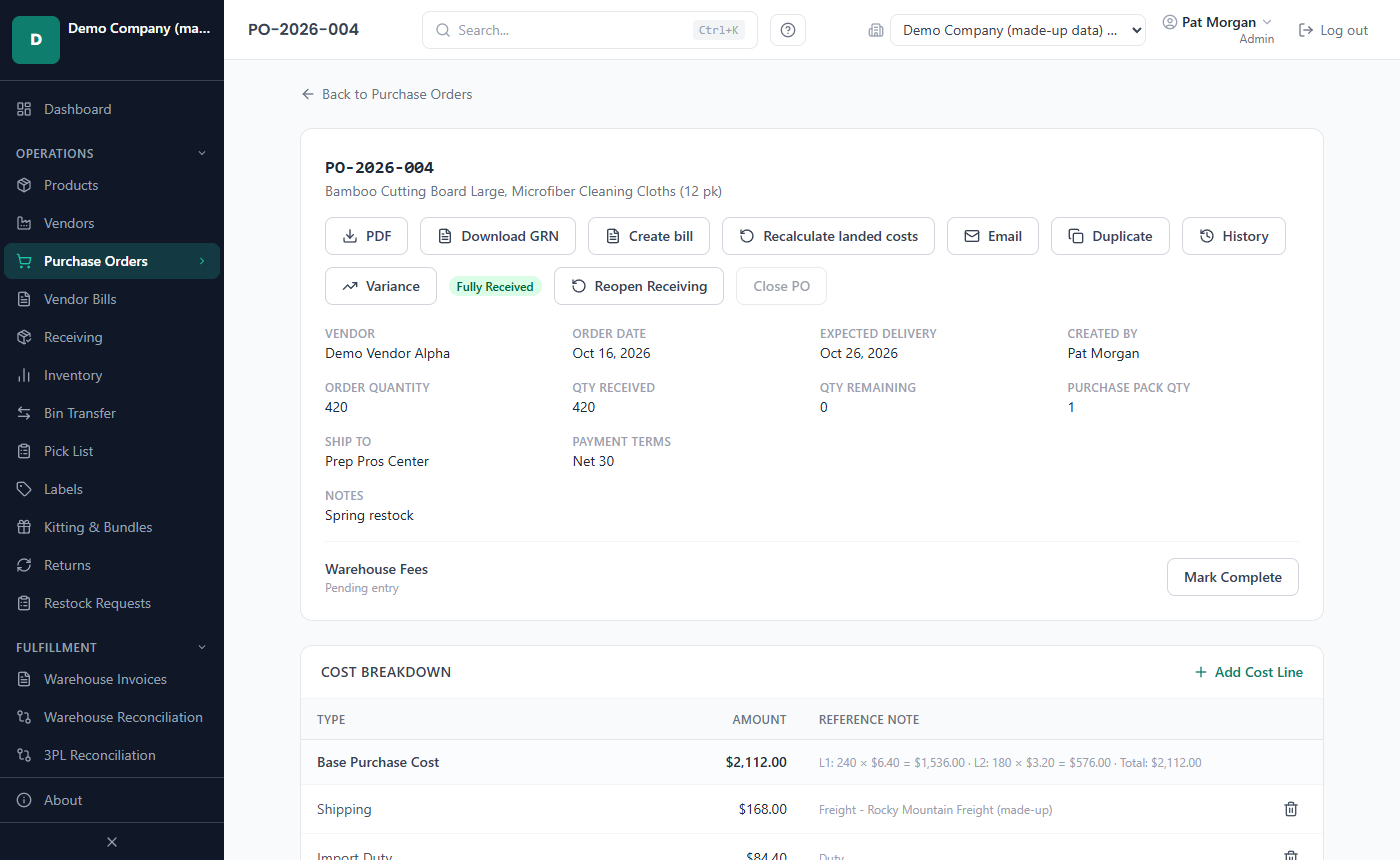
A purchase order and its cost breakdown -
Receive it at the prep center
When the delivery arrives, record what came in - in vendor cases, single items or sellable units - at the warehouse it reached, usually your prep center. Lot numbers, expiry dates and bins are entered here when you track them, and a product can require them.
Each receipt becomes a batch of stock with its own landed cost. Short and over shipments, several purchase orders at once and a barcode scanner are handled too.
In the manual: receiving, short and over shipments.
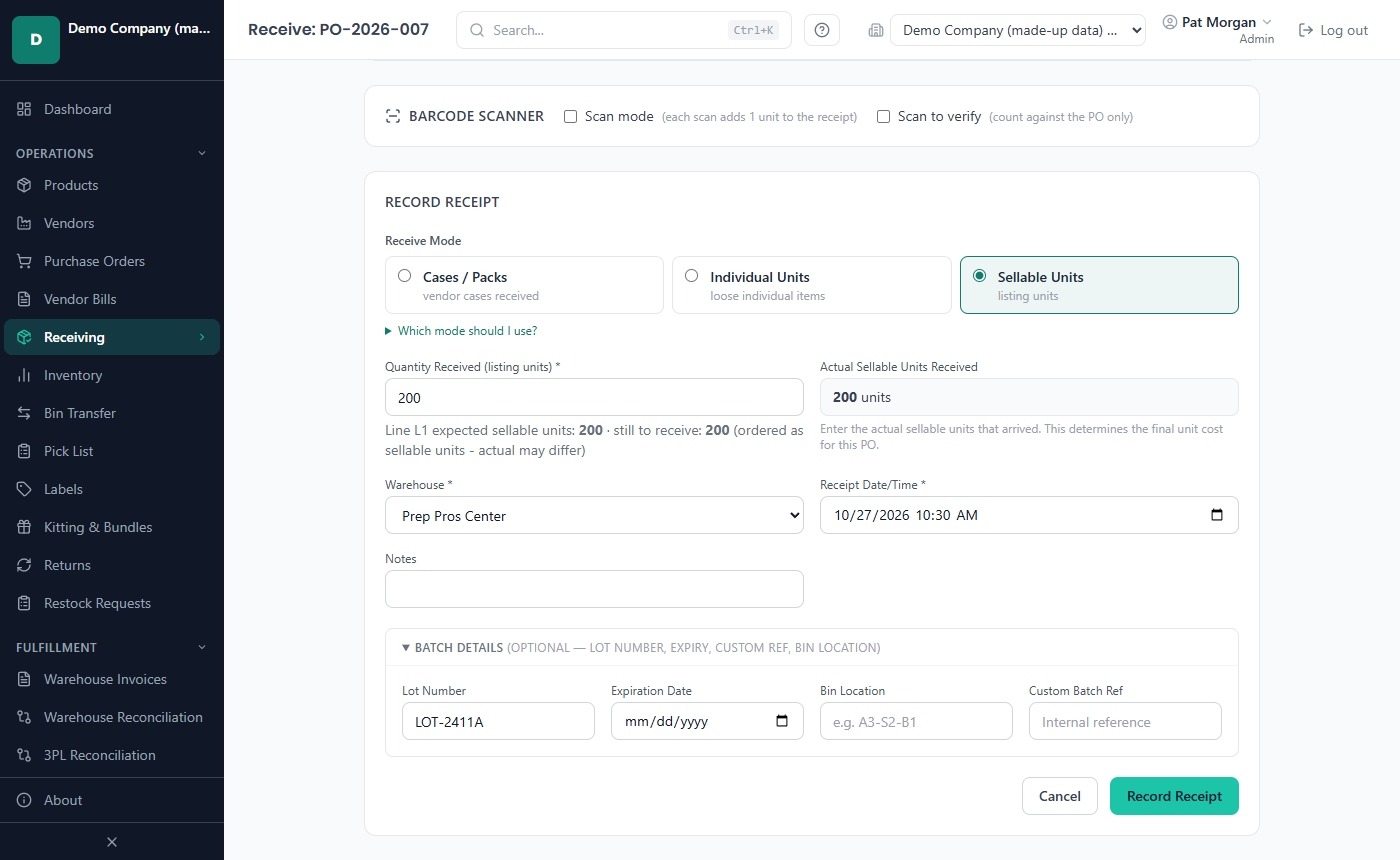
Recording a delivery -
Add the prep center's invoice
Enter the prep center's or warehouse's invoice - or import it from their spreadsheet - and allocate each line to the purchase order, or the order line, it was charged for.
Its fees and their sales tax become part of the landed cost: of units still to arrive, of units in stock and of units already sold, whose profit is updated.
In the manual: warehouse invoices, landed cost with a worked example.
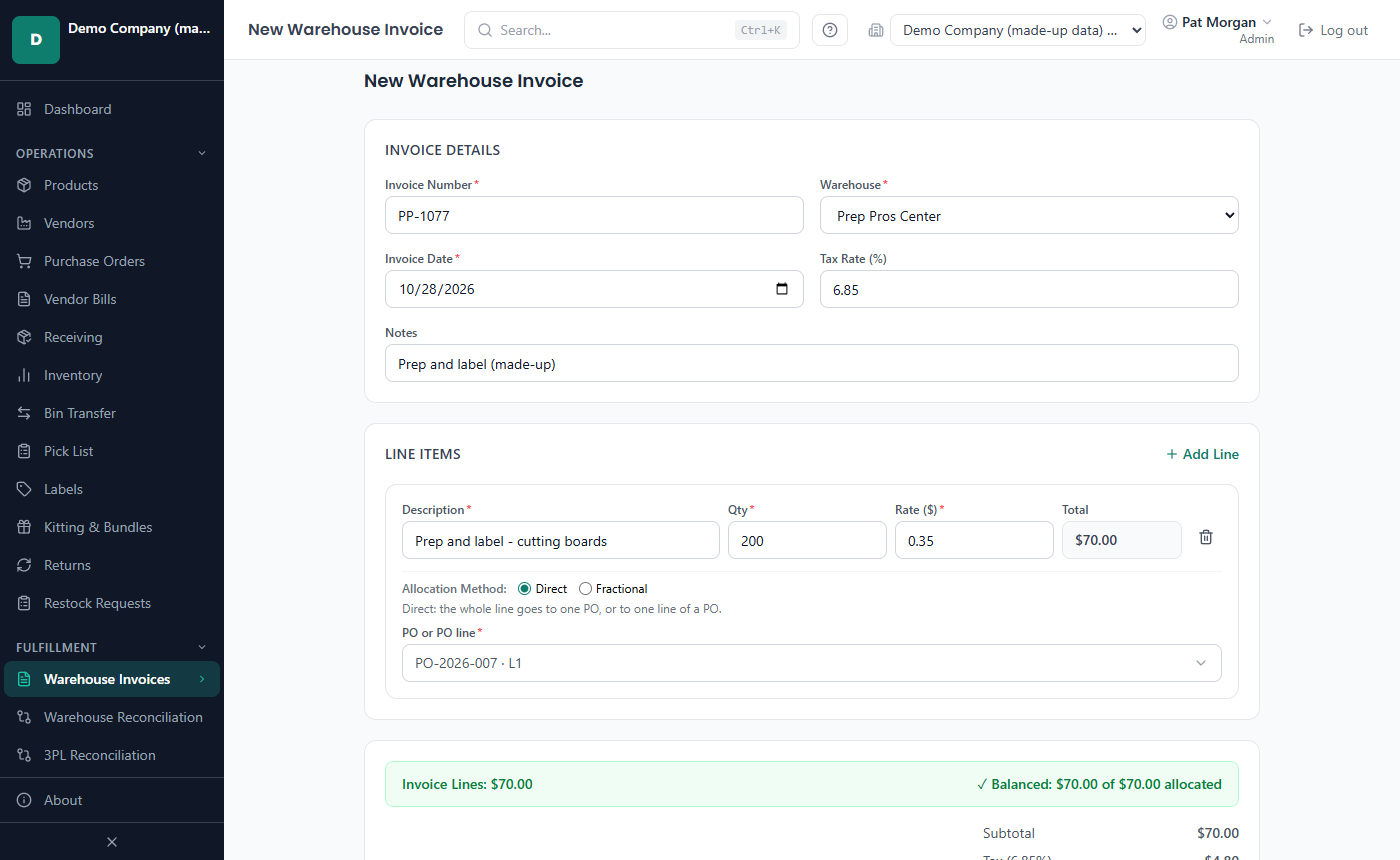
A prep center's invoice -
Send stock to Walmart WFS
Record each shipment from the prep center to Walmart Fulfillment Services, or to another fulfillment warehouse, choosing how many units leave from each batch. The units keep their cost, lot and expiry, and count as in transit until they are received.
With the Walmart API connected, Warehouse Reconciliation compares your WFS stock with Walmart's own count.
In the manual: transfers, transfers in transit, WFS reconciliation.
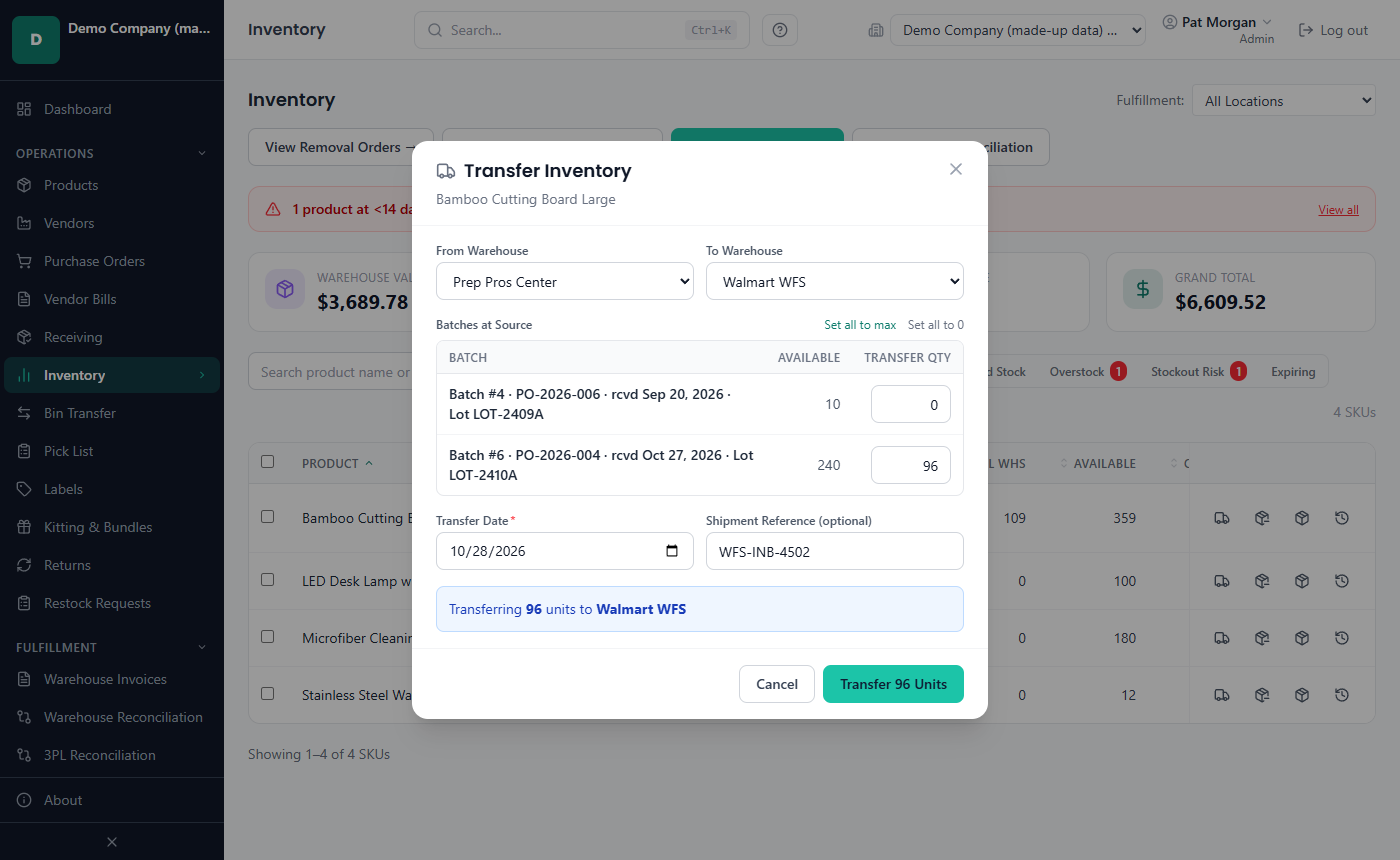
Sending stock to Walmart WFS -
Import the sales
Import the sales report you download from Walmart, or pull the orders with the Walmart API. A preview shows what will be saved before anything is, and an order line that is already imported is skipped, even from an overlapping file.
Each unit sold takes its cost from a batch at the fulfillment warehouse, first in first out - or earliest expiry first for dated products.
Amazon, eBay, Etsy and Shopify reports have their own file imports Beta.
In the manual: sales imports, how sold units get their cost, Amazon reports (Beta).
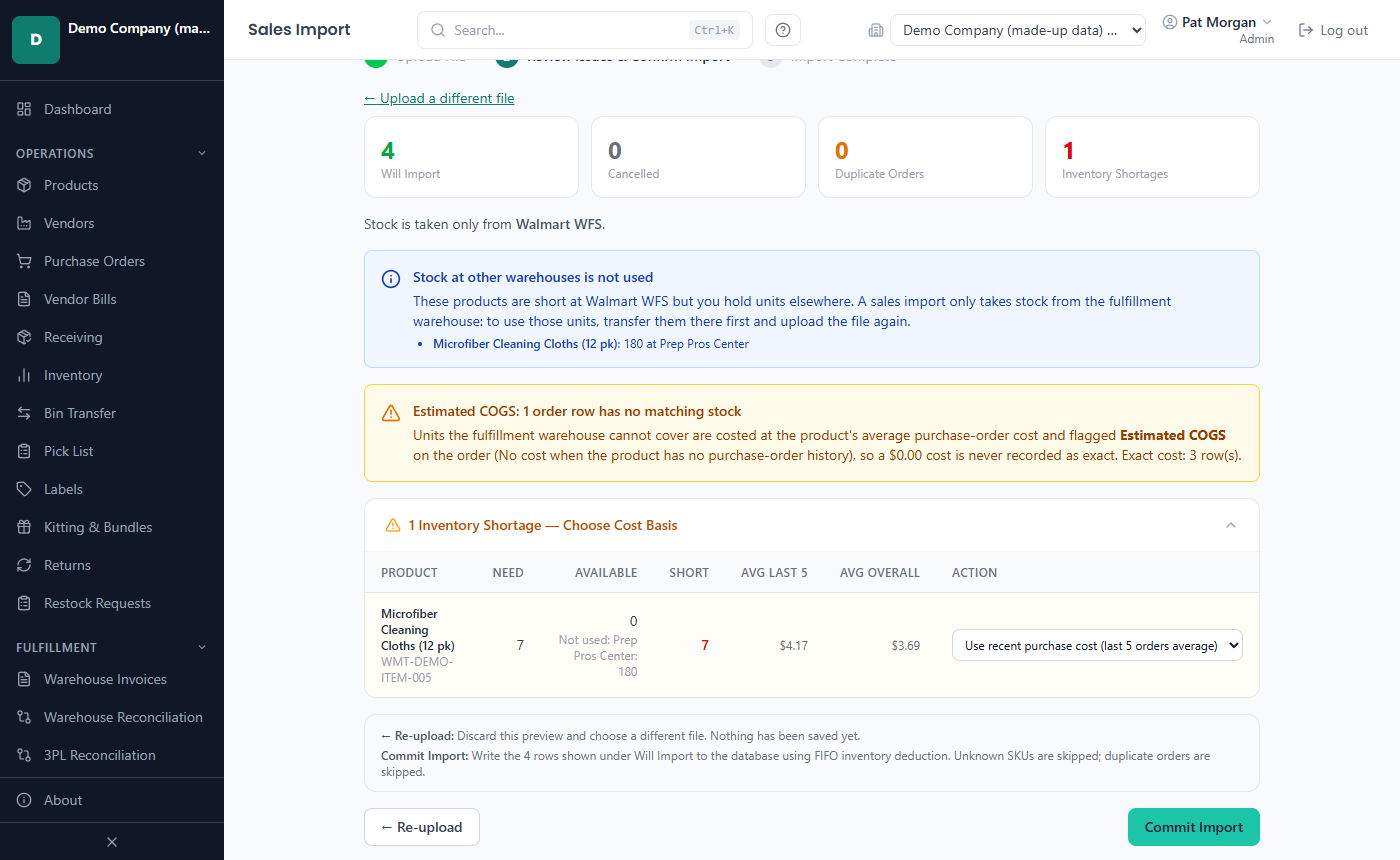
Checking a sales import before it is saved -
Match the settlement
Import Walmart's settlement report: each fee and refund is charged to the order line it belongs to, so every product carries its own fees. Storage fees and other charges that belong to no order count in their own period.
Walmart's payments for lost or damaged units go to the Reimbursements page, which compares them with the units that went missing.
In the manual: settlement imports, reimbursements.
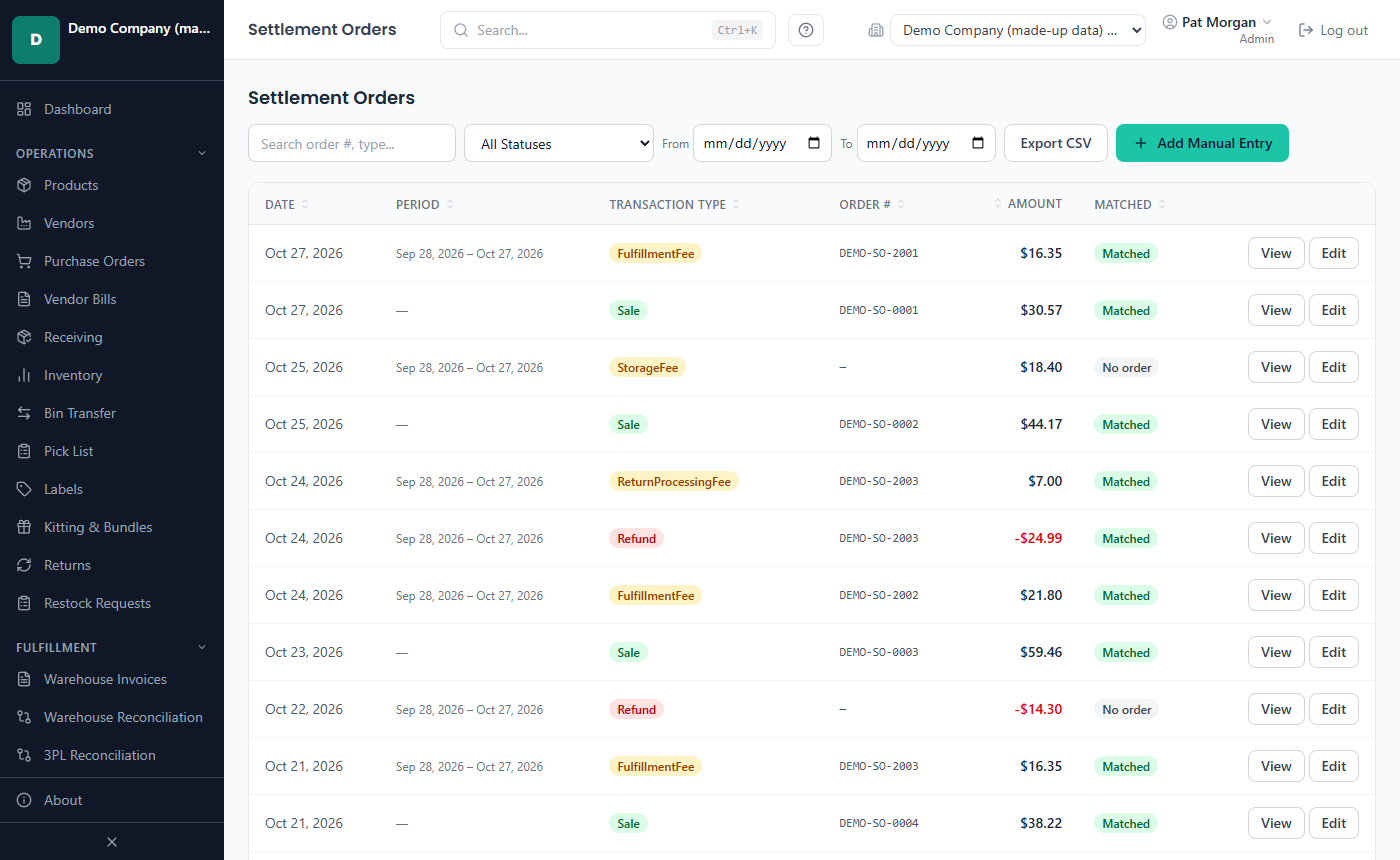
Settlement rows matched to their orders -
See the true profit
The Profitability report shows revenue, fees, period fees, refunds, the landed cost of goods, gross and net profit and the margin for the dates you choose, by product and by vendor - and by channel when you sell on more than one. Every report exports to CSV and prints.
Ad spend from Walmart Connect and Amazon Ads reports can lower each product's profit Beta.
In the manual: the report tabs, export and print, ad spend.
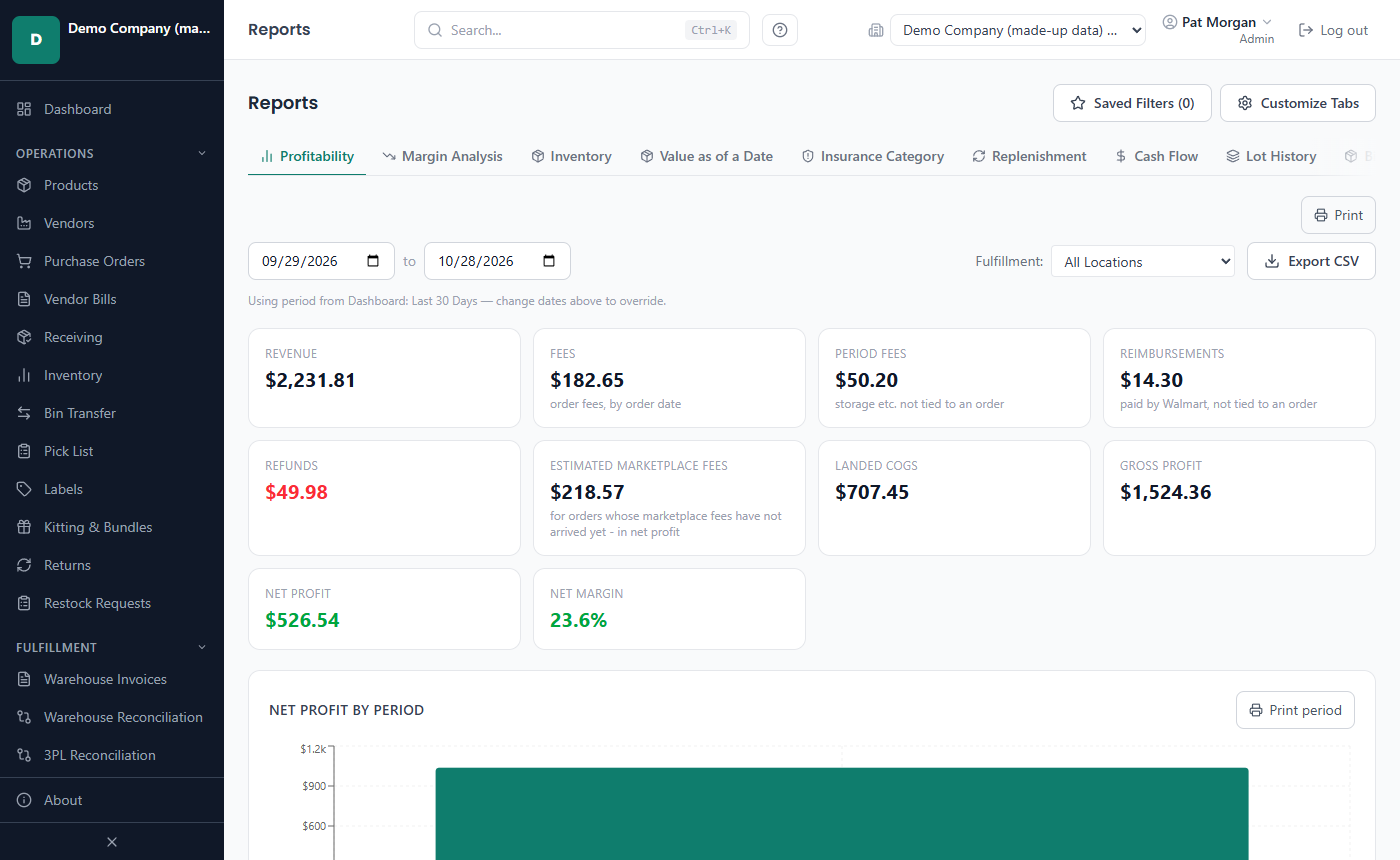
The Profitability report
Around the cycle
- Your own customers: orders, invoices, payments and receivables; and vendor bills with payables.
- Several companies in one installation, users with roles, an office server for a team and a read-only phone companion on your office network.
- An automatic, encrypted backup every day while the app runs, and an optional off-site copy to a OneDrive or Dropbox folder or a USB drive.
- Signing in with your Walmart, Amazon, eBay, Etsy or Shopify account instead of API keys or files Coming soon
- A local AI assistant that answers questions about your figures Coming soon